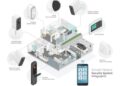

Exploring the world of Samsung SmartThings for beginners, this guide offers a detailed look at the advantages and disadvantages, providing valuable insights for those new to smart home automation.
In the following paragraphs, we will delve into the key aspects of Samsung SmartThings, from setup to best practices, to help you make informed decisions.
Introduction to Samsung SmartThings
Samsung SmartThings is a smart home platform developed by Samsung Electronics that allows users to connect, control, and automate their smart devices in one place. The main purpose of Samsung SmartThings is to create a seamless and convenient smart home experience for users by enabling them to monitor and manage their devices remotely.
Key Features of Samsung SmartThings
- Centralized Control: Samsung SmartThings provides a single platform to control all compatible smart devices, such as lights, thermostats, cameras, and more.
- Automation: Users can create custom routines and automation to simplify daily tasks, such as turning on lights when motion is detected or adjusting the thermostat based on the time of day.
- Integration: Samsung SmartThings is compatible with a wide range of smart devices from various brands, allowing users to build a comprehensive smart home ecosystem.
- Monitoring: Users can receive real-time alerts and notifications about the status of their devices, ensuring peace of mind and security.
Compatibility of Samsung SmartThings
Samsung SmartThings is compatible with a variety of smart devices, including smart lights, smart plugs, smart locks, smart cameras, smart thermostats, and more. It supports popular smart home protocols like Z-Wave, Zigbee, Wi-Fi, and Bluetooth, making it versatile and suitable for different types of devices.
Additionally, Samsung SmartThings works with voice assistants like Amazon Alexa and Google Assistant, enhancing the overall user experience and convenience.
Setting Up Samsung SmartThings
To begin setting up Samsung SmartThings, follow these step-by-step instructions and ensure you have the necessary equipment and tools ready. Additionally, we will provide tips for troubleshooting common setup issues to help you seamlessly integrate your devices.
Step-by-Step Guide
- Download the SmartThings app from the App Store or Google Play Store on your smartphone.
- Sign in or create a Samsung account to access the SmartThings platform.
- Follow the on-screen instructions to add a location, such as your home, where you will set up your devices.
- Connect the SmartThings Hub to your router using an Ethernet cable and plug it into a power source.
- Open the SmartThings app and select "Add Device" to start pairing your smart devices.
- Follow the specific pairing instructions for each device you want to connect to the SmartThings Hub.
- Once all your devices are paired, you can start creating routines and automation to control them through the app.
Required Equipment and Tools
- SmartThings Hub: The central device that connects all your smart devices to the SmartThings platform.
- Smartphones: To download the SmartThings app and control your devices remotely.
- Smart Devices: Such as smart bulbs, sensors, locks, and cameras that are compatible with SmartThings.
- Router: To connect the SmartThings Hub to the internet for remote access and control.
Tips for Troubleshooting
- If a device fails to pair, make sure it is in pairing mode and within range of the SmartThings Hub.
- Check for firmware updates on your devices and the SmartThings Hub to ensure compatibility.
- Restart the SmartThings Hub by unplugging it for a few seconds and plugging it back in to resolve connectivity issues.
- Ensure your Wi-Fi network is stable and has sufficient coverage to support all your connected devices.
Pros of Samsung SmartThings
Using Samsung SmartThings for home automation comes with numerous advantages that enhance convenience and control in a smart home setup. Let's explore some of the key benefits below.
Integration with a Wide Range of Devices
Samsung SmartThings is compatible with a vast array of smart devices from various manufacturers, allowing for seamless integration and control of your entire smart home ecosystem.
Customizable Automation
With Samsung SmartThings, users have the flexibility to create personalized automation routines based on their specific needs and preferences. This level of customization ensures that the smart home operates exactly as desired.
Remote Access and Control
One of the standout features of Samsung SmartThings is the ability to remotely monitor and control devices from anywhere using the mobile app. This offers convenience and peace of mind, especially when away from home.
Scalability and Expandability
Samsung SmartThings is a scalable system that can grow with your needs
Community Support and Development
The SmartThings community is active and vibrant, with users sharing tips, tricks, and custom device integrations. This collaborative environment fosters innovation and continuous improvement of the platform.
Cost-Effective Solution
Compared to other smart home systems, Samsung SmartThings offers a cost-effective solution that doesn't compromise on features or functionality. This makes it an attractive option for beginners looking to enter the world of home automation without breaking the bank.
Cons of Samsung SmartThings
While Samsung SmartThings offers many benefits, there are some limitations and drawbacks that beginners should be aware of.
Compatibility Issues
One common issue that users face with Samsung SmartThings is compatibility problems with certain devices. Some smart home gadgets may not work seamlessly with the SmartThings hub, leading to frustration for users who are trying to create a cohesive smart home ecosystem.
Limited Device Support
Another drawback of Samsung SmartThings is the limited support for certain devices. Users may find that their favorite smart home products are not compatible with SmartThings, limiting the flexibility and customization options for their setup.
Complex Setup Process
Setting up Samsung SmartThings can be a bit complex for beginners who are not familiar with smart home technology. The initial configuration and device pairing process may require some technical knowledge, which can be a barrier for users who are new to the smart home world.
Best Practices for Using Samsung SmartThings
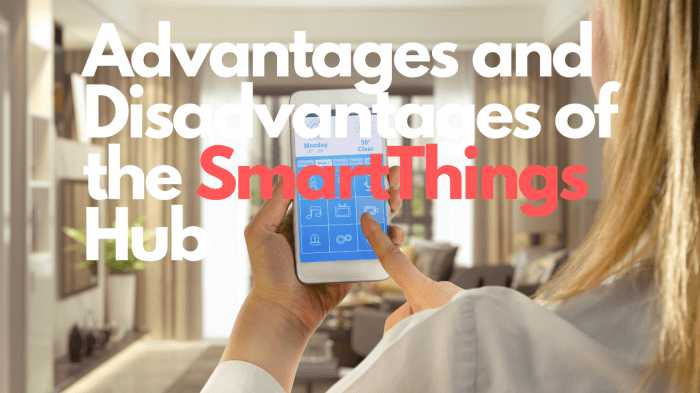
When it comes to maximizing the benefits of Samsung SmartThings, there are several best practices that beginners can follow to enhance their smart home experience.
Optimizing the Use of Samsung SmartThings
- Regularly update the SmartThings app and firmware to ensure you have access to the latest features and security patches.
- Organize your devices into rooms and groups within the app for easier management and control.
- Utilize automation features to create smart routines that can simplify daily tasks and enhance convenience.
- Explore the SmartThings community forums and user guides to learn tips and tricks from experienced users.
Integrating Samsung SmartThings with Other Smart Devices
- Check compatibility lists to ensure seamless integration of third-party smart devices with Samsung SmartThings.
- Experiment with different device combinations to create custom automation scenarios tailored to your specific needs.
- Consider using voice assistants like Amazon Alexa or Google Assistant to control your SmartThings devices hands-free.
- Explore IFTTT (If This Then That) integrations to connect SmartThings with a wide range of other smart services and devices.
Ensuring Security and Privacy with Samsung SmartThings
- Enable two-factor authentication for added security when accessing your SmartThings account.
- Regularly review and update your device permissions to limit access to sensitive information.
- Keep your network secure by using strong passwords and regularly updating your router firmware.
- Avoid sharing sensitive information or granting unnecessary permissions to third-party apps or services connected to SmartThings.
Ultimate Conclusion
In conclusion, understanding the pros and cons of Samsung SmartThings can empower you to create a more efficient and secure smart home environment. As you navigate the realm of home automation, keep these insights in mind for a seamless experience.
Key Questions Answered
What devices are compatible with Samsung SmartThings?
Samsung SmartThings is compatible with a wide range of smart devices, including lights, thermostats, cameras, and sensors, allowing for seamless integration within your smart home ecosystem.
Can Samsung SmartThings be connected to voice assistants like Amazon Alexa or Google Assistant?
Yes, Samsung SmartThings can be easily integrated with popular voice assistants, enhancing the convenience of controlling your smart home devices through voice commands.
Are there any subscription fees associated with using Samsung SmartThings?
No, Samsung SmartThings offers basic functionalities without any subscription fees, making it an affordable option for beginners looking to explore home automation.